Guest Message
The Guest Message sub-menu is used to view and manage messages submitted by visitors through the Contact Form on the Contact Us page of the landing page. Each message includes sender information and a handling status.
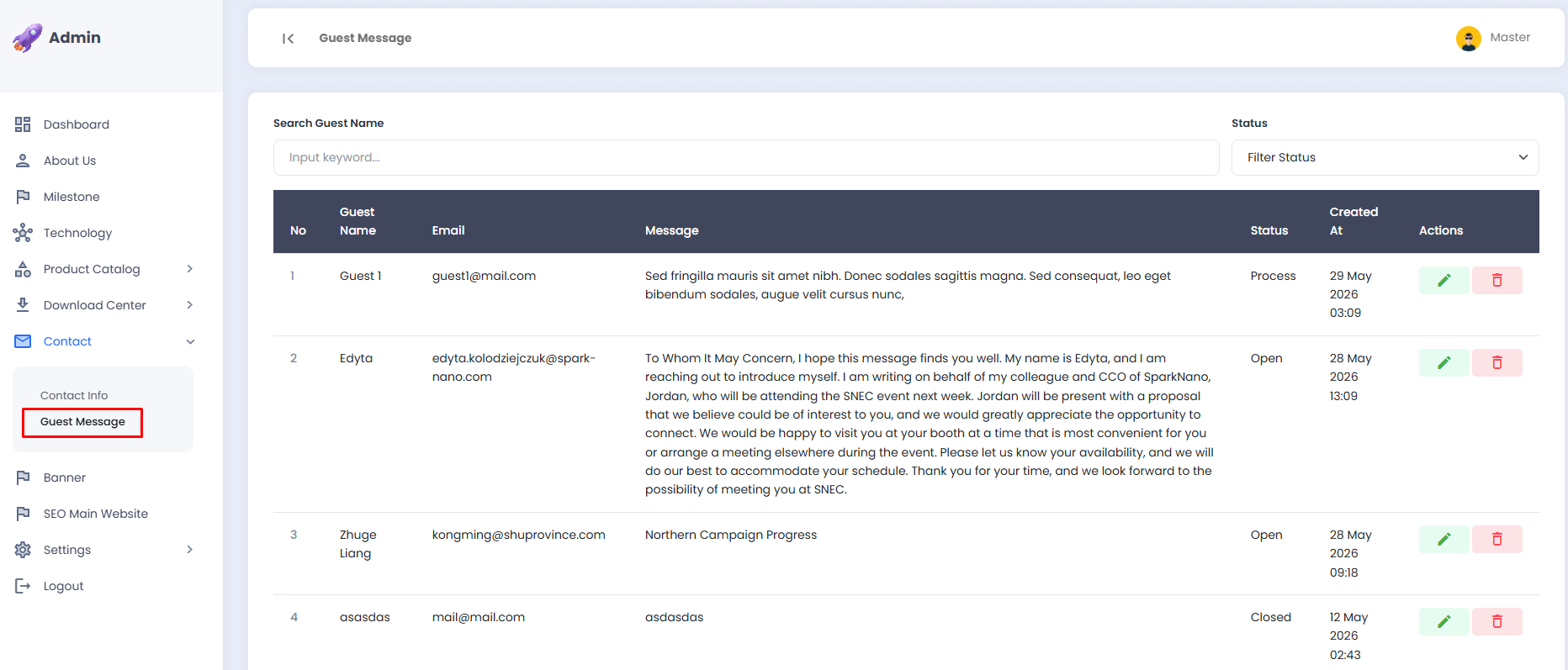
🔎 Searching for a Guest Message
Use the search and filter features to quickly locate a specific message.
- Enter the visitor's name in the Search Guest Name field to search by name.
- Select a status from the Filter Status dropdown to filter messages by their handling status.
- The message list will be automatically filtered based on the entered keyword or selected status.

📋 Guest Message List
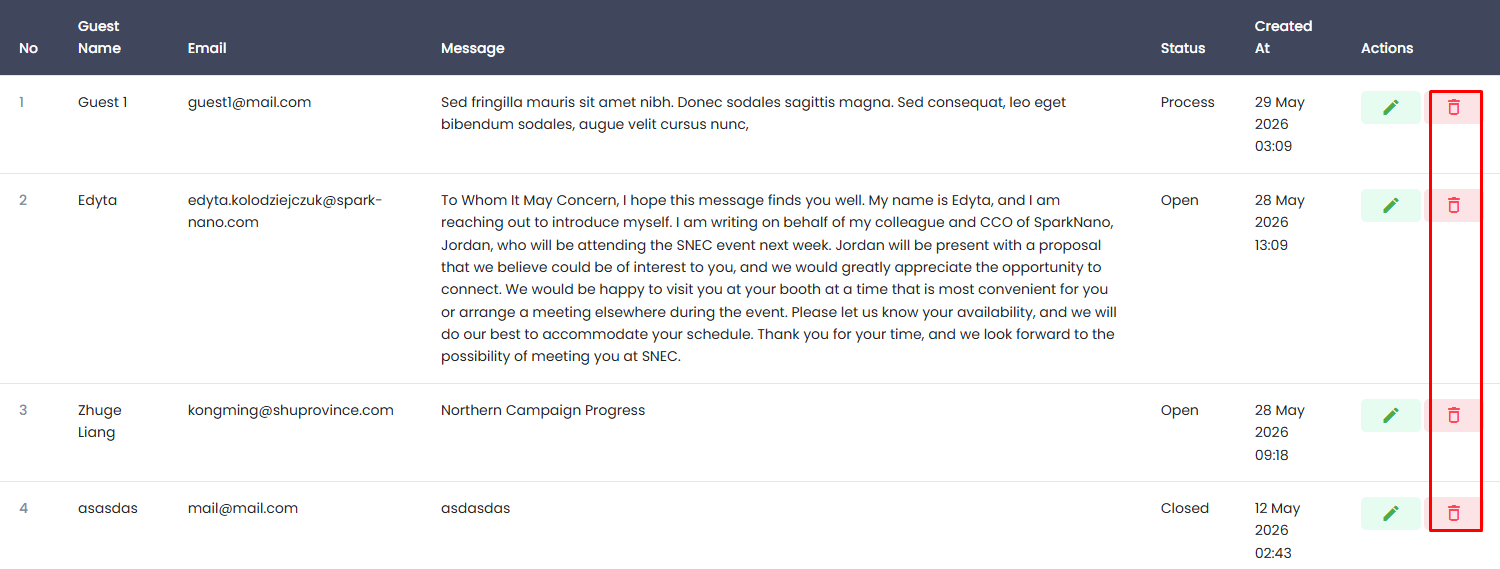
The incoming message list is displayed in a table with the following information:
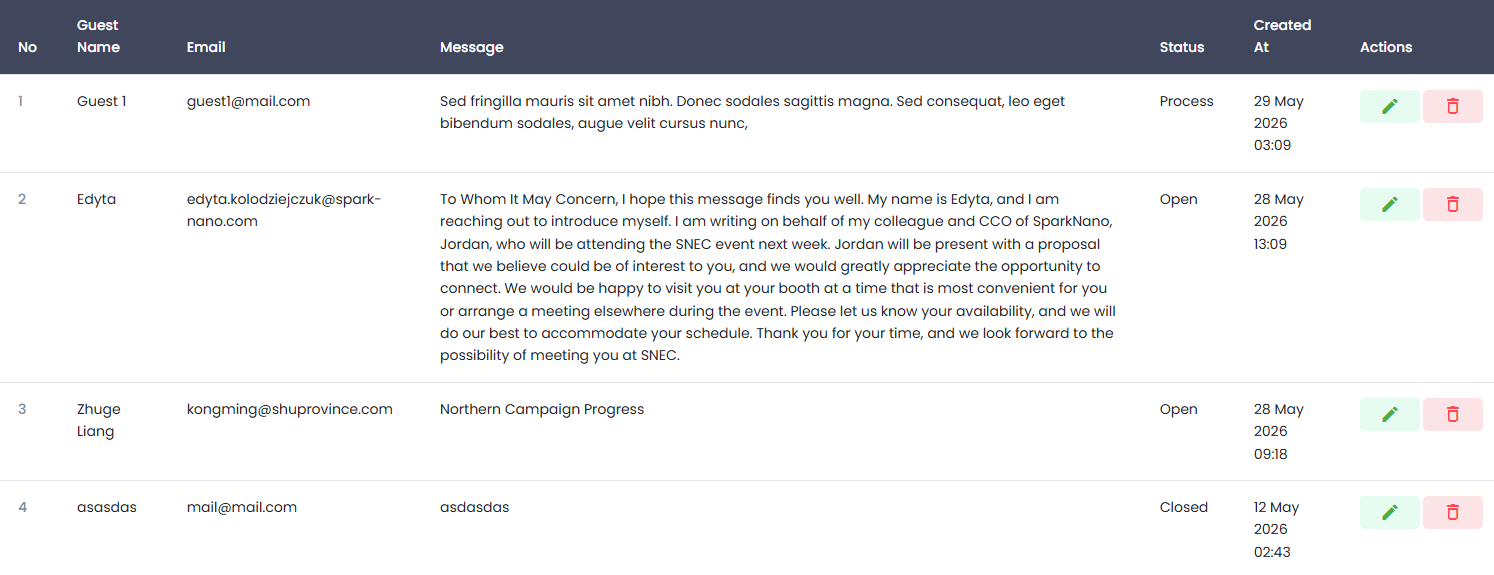
| Column | Description |
|---|---|
| No | Sequential number of the message |
| Guest Name | Name of the visitor who sent the message |
| Email address of the visitor | |
| Message | The content of the submitted message |
| Status | The handling status of the message: Open, Process, or Closed |
| Created At | Date and time the message was received |
| Actions | Buttons to edit the status or delete the message |
✏️ Editing a Guest Message
The edit feature is used to update the handling status of a visitor's message.
- Click the ✏️ edit icon (green) in the Actions column of the message row you wish to update.
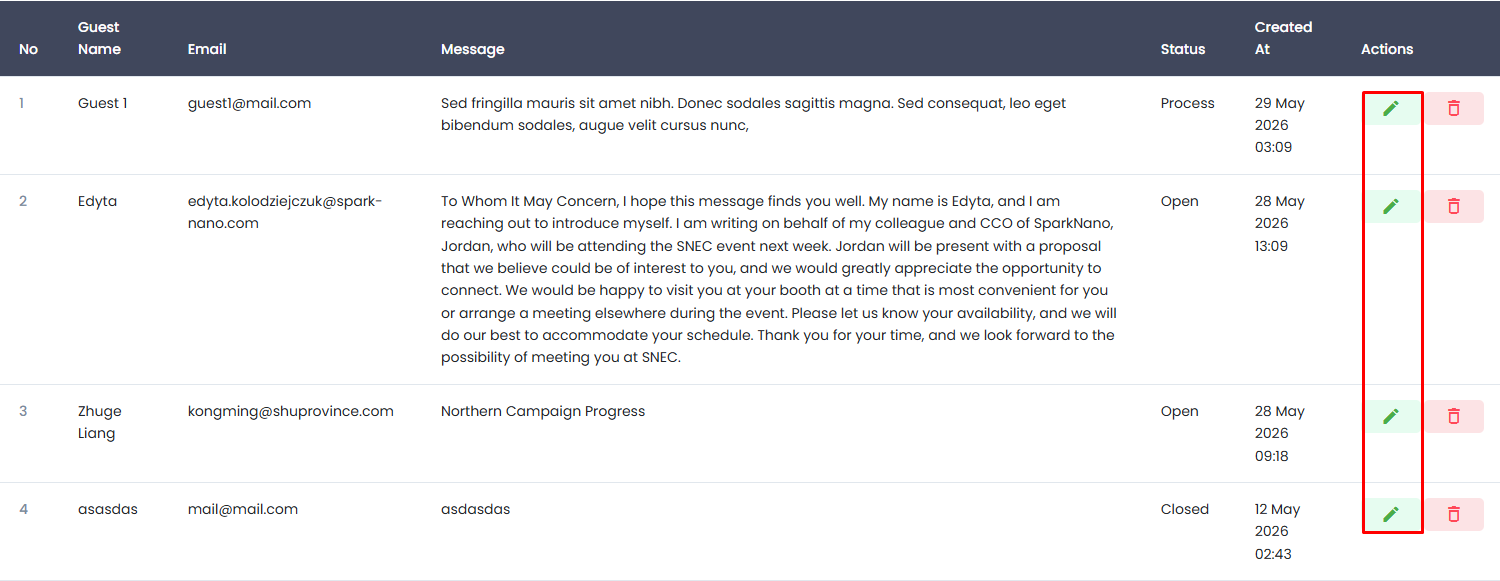
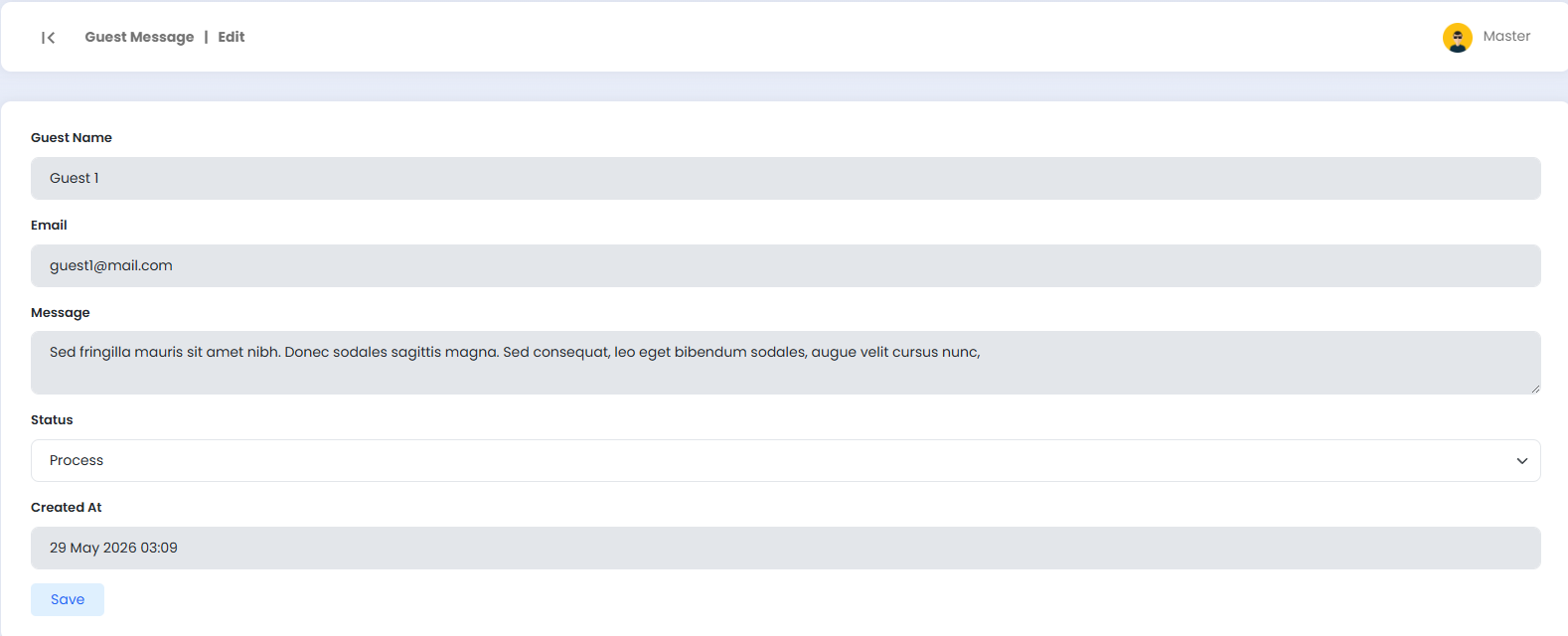
- You will be directed to the Guest Message | Edit page.
- Update the Status according to the current handling progress, selecting one of the following:
- Open, the message has been received and has not yet been handled.
- Process, the message is currently being handled.
- Closed, the message has been fully handled.
- Click the Save button to save the changes.
info
The Guest Name, Email, Message, and Created At fields are read-only and cannot be modified, as they contain data submitted directly by the visitor.
🗑️ Deleting a Guest Message
- Click the 🗑️ delete icon (red) in the Actions column of the message row you wish to remove.
- A confirmation popup will appear.
- Confirm the deletion to proceed, or cancel if you wish to abort.
danger
Deleted message data cannot be recovered. Please ensure that the message is no longer needed before proceeding with the deletion.