Account Logout
After finishing your work on the landing page, always ensure that you log out of the admin system. There are 2 methods available to log out, which you may use according to your preference.
🚪 Logout Methods
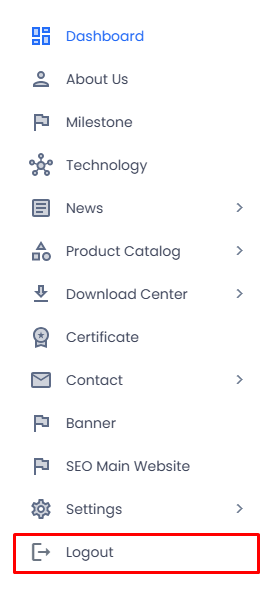
A. Via the Sidebar Menu
- Locate the navigation menu on the left side of the screen.
- Click the Logout menu item located at the bottom of the sidebar.
- You will be immediately redirected to the Login page.
tip
This method is recommended when you are working on any page, as the sidebar is always visible throughout the admin panel.
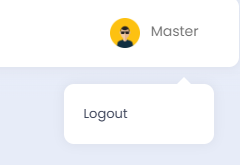
B. Via the User Profile
- Click the profile icon in the top-right corner of the page.
- A dropdown menu will appear with the Logout option.
- Click Logout and you will be immediately redirected to the Login page.
note
The username displayed on the profile icon corresponds to the currently active account, for example Master.
warning
Always log out after completing your work, especially when using a shared device, to maintain the security of your account.