SEO Technology
In addition to managing the content, the Technology page also includes SEO settings to help the page be more easily discovered through search engines such as Google. These settings cover the page title, description, keywords, and URL.
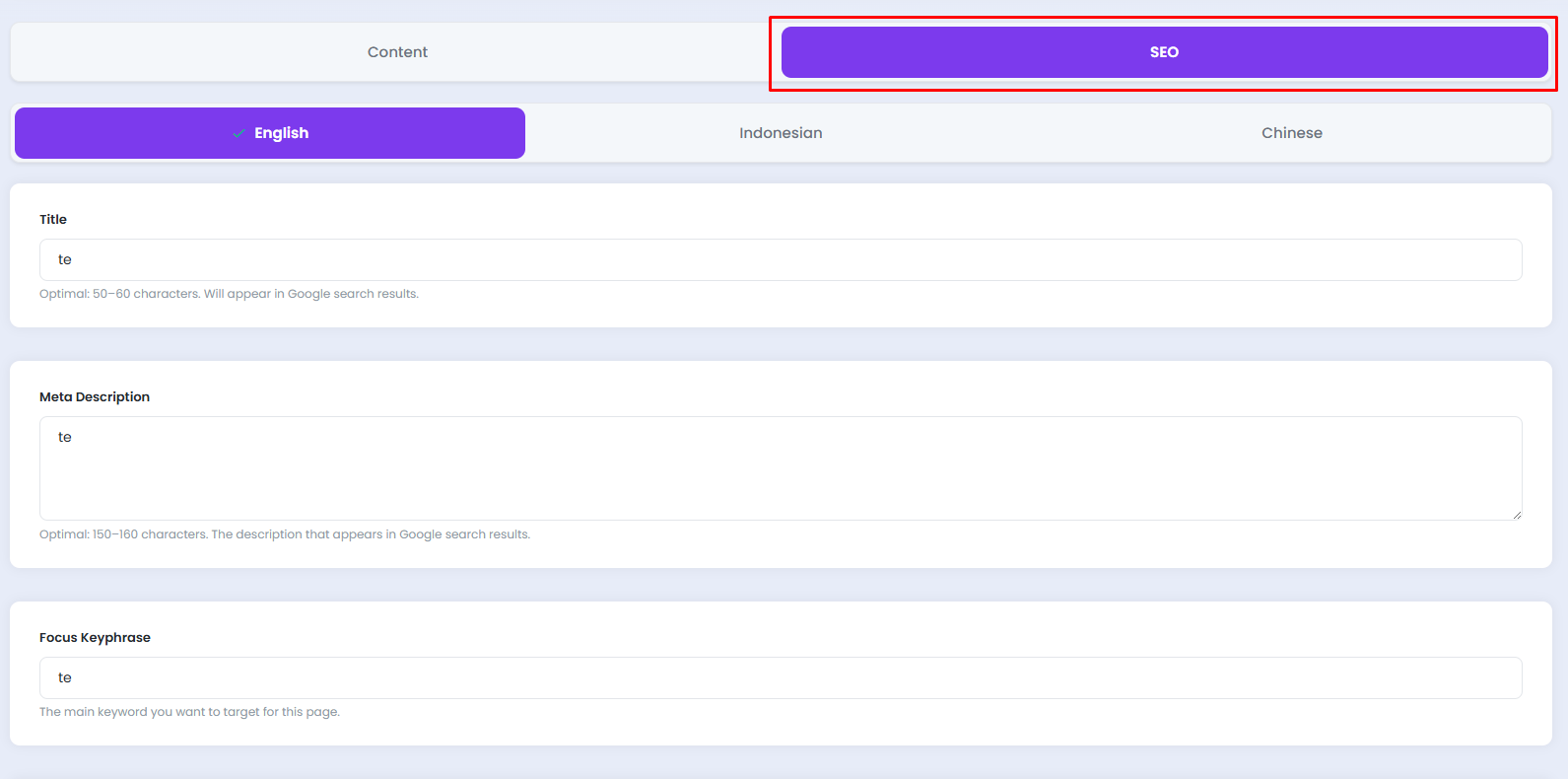
🔍 SEO Tab
Click the SEO tab at the top of the page to switch to the SEO settings. Similar to the Content tab, SEO settings can also be configured per language.
A. Selecting a Language
Click the desired language tab to adjust the SEO settings accordingly.
- English, SEO settings for the English language version
- Indonesian, SEO settings for the Indonesian language version
- Chinese, SEO settings for the Mandarin language version

Fill in the SEO settings for each language separately to ensure that every version of the page is properly indexed by search engines.
🏷️ Title
The Title field is used to enter the page title that will appear in Google search results.

| Field | Description |
|---|---|
| Title | The page title displayed in the browser tab and Google search results |
| Character Guide | Optimal length: 50–60 characters |
Use the format Main Topic | Company Name to make the title more informative and easily recognizable in search results.
📝 Meta Description
The Meta Description field is used to enter a brief description of the page that appears below the title in Google search results.

| Field | Description |
|---|---|
| Meta Description | A brief page description displayed in Google search results |
| Character Guide | Optimal length: 150–160 characters |
Write an engaging description that accurately summarizes the page content to encourage visitors to click on your page in search results.
🔑 Focus Keyphrase
The Focus Keyphrase field is used to enter the primary keyword that best represents the content of the page.

| Field | Description |
|---|---|
| Focus Keyphrase | The primary keyword targeted for this page |
Choose a single, highly relevant keyword that best reflects the page content, for example our technology or company technology.
🔗 Slug
The Slug field is used to define the URL segment of the page that appears after the domain name.

| Field | Description |
|---|---|
| Slug | The URL segment after the domain that briefly describes the page |
Example: technology — resulting in the full URL: https://yourdomain.com/technology
Use lowercase letters and hyphens - as word separators in the slug. Avoid using spaces, special characters, or uppercase letters to keep the URL clean and readable.
💾 Saving Changes
Once all SEO settings have been completed, click the Save button at the bottom of the page to apply all changes.
